The safest way to change a database.







Code is cheap now. Downtime isn't.
Agents write schema changes in seconds. Atlas catches those that would lock a table or lose data before they reach production.
Set up Atlas from your coding agent ↓
Explorer
Atlas · dev in sync❯ enforce unique emails on users, and return 409 on duplicates instead of 500
⏵⏵ auto mode on (shift+tab to cycle)

 Ariel MashrakiCo-founder, ArigaClaude Code in auto mode, running Atlas
30 minutes with one of the Atlas engineers.
Book a demoLike Terraform, for databases.
Define your schema in any language or ORM, and compose them like Terraform modules. Atlas plans, lints, and deploys safe migrations. Declarative or versioned, your choice.





Shift left database security.
Define roles, users, and permissions as code. Atlas automatically diffs, plans, and applies changes to bring any database in line with the desired state.
Declarative data management.
Seed lookup tables, compare desired vs. live state, and insert reference data. Atlas generates the exact DML needed, with three sync modes for precise control.
 PostgreSQL
 MySQL
MySQLDay 2 database operations.
Backfills, GDPR deletion, and reports, declared as code. Agents write the operation, and tests verify it in CI along two axes: the result it produces, and the privileges it runs with.




Catch dangerous migrations before they ship.
Atlas analyzes every migration for destructive changes, table locks, data loss risks, and concurrent index violations. In CI, on the CLI, or pre-deployment.
Deploy from the pipeline you already run.
Apply schema changes from GitHub Actions, GitLab CI, Azure DevOps, Bitbucket, CircleCI, Argo CD, Flux, Terraform, or the Kubernetes Operator, the same way you ship the rest of your stack.
schema.tf
terraform {
  required_providers {
    atlas = {
      source  = "ariga/atlas"
      version = "~> 0.9.7"
    }
  }
}

provider "atlas" {
  dev_url = "docker://postgres/15/myapp"
}

data "atlas_schema" "sql" {
  src = "file://${path.module}/schema.sql"
}

resource "atlas_schema" "postgres" {
  url = "postgres://root:pass@localhost:5432/app?sslmode=disable"
  hcl = data.atlas_schema.sql.hcl
}
$ terraform apply

data.atlas_schema.sql: Reading...
data.atlas_schema.sql: Read complete after 2s [id=p93KLX2q4UI326LN/4cssQ]

Terraform will perform the following actions:

  # atlas_schema.postgres will be created
  + resource "atlas_schema" "postgres" {
      + hcl = <<-EOT
            table "users" {
              schema = schema.myapp
              column "id" {
                null = false
                type = int
              }
              column "name" {
                null = false
                type = varchar(255)
              }
              primary_key {
                columns = [column.id]
              }
            }
        EOT
      + id  = (known after apply)
      + url = (sensitive value)
    }

Plan: 1 to add, 0 to change, 0 to destroy.

The following SQL statements will be executed:

CREATE TABLE users (
  id SERIAL PRIMARY KEY,
  name VARCHAR(255) NOT NULL
);
The control plane for your database changes.
Every change to every object, across every environment: who approved it, where it ran, and the SQL it executed. Plus lineage, drift detection, and the Security Graph.
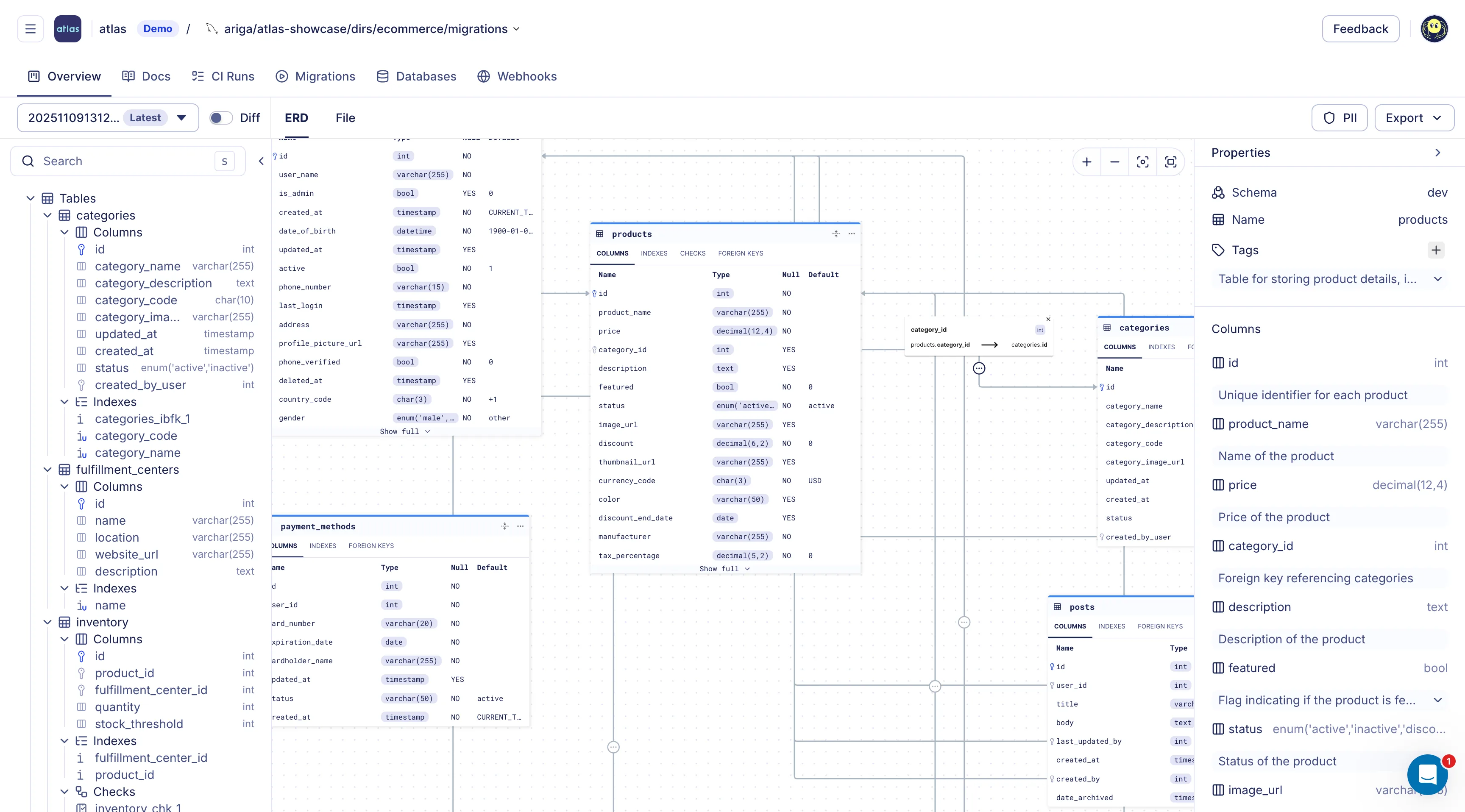
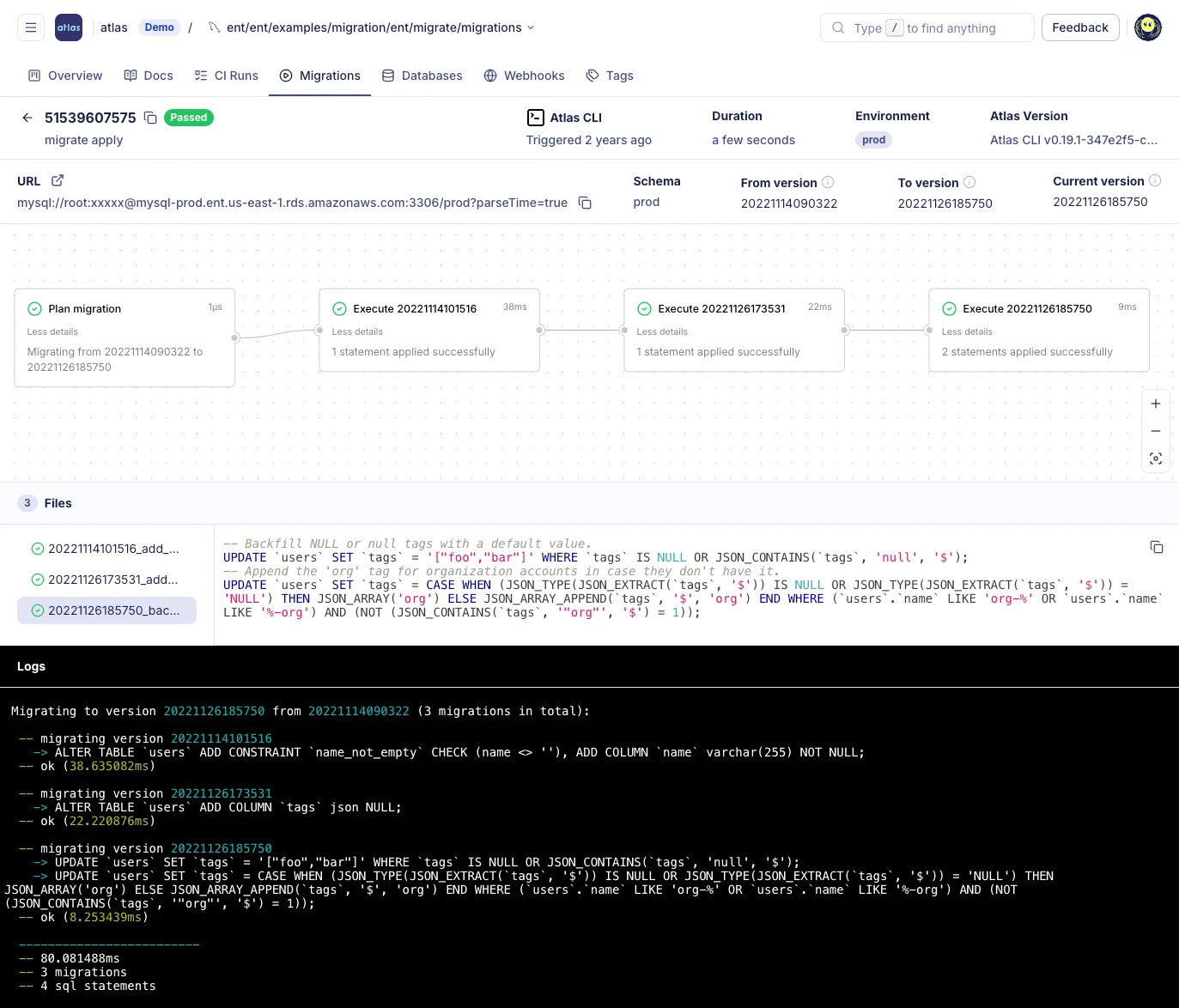
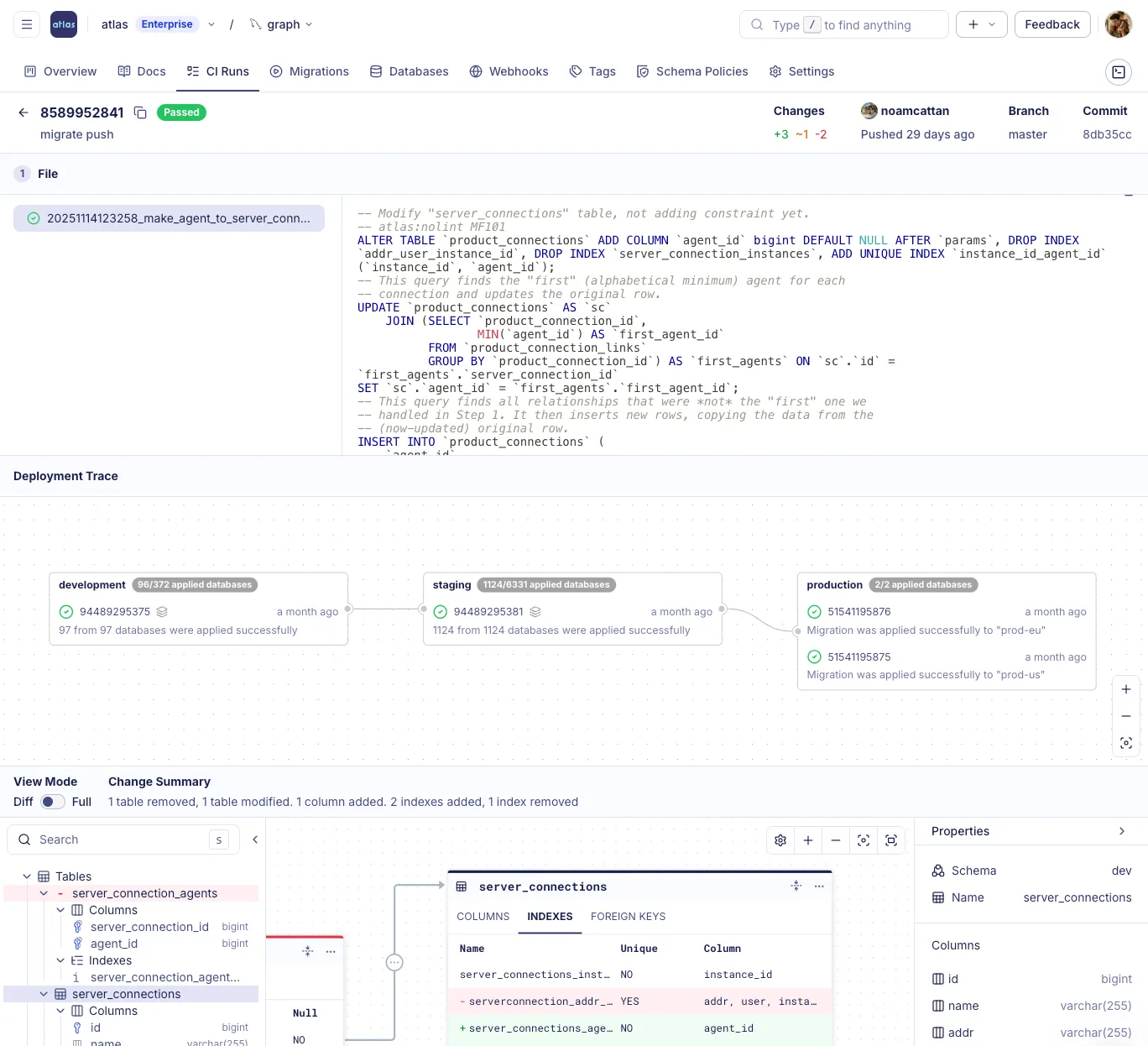
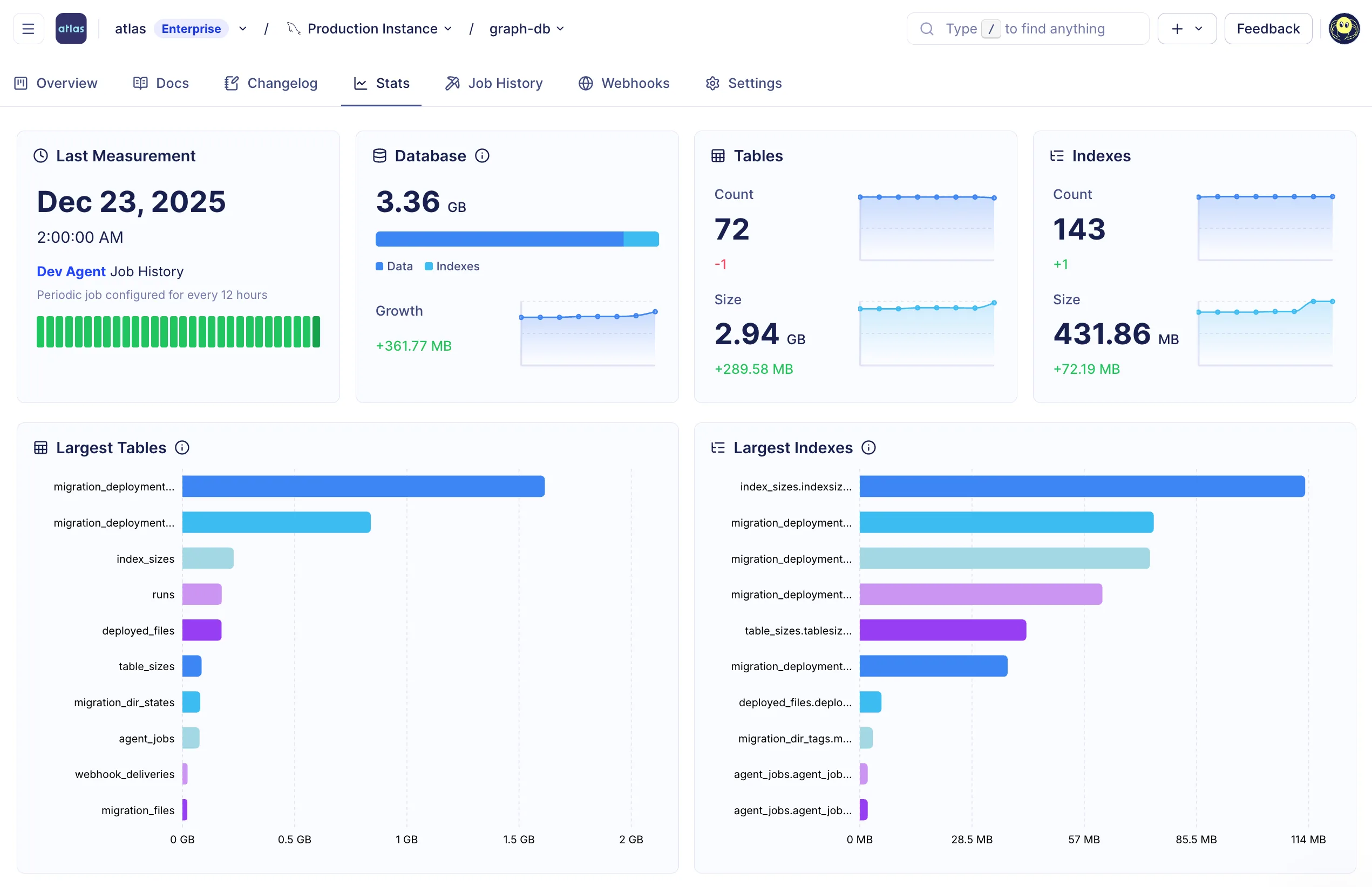
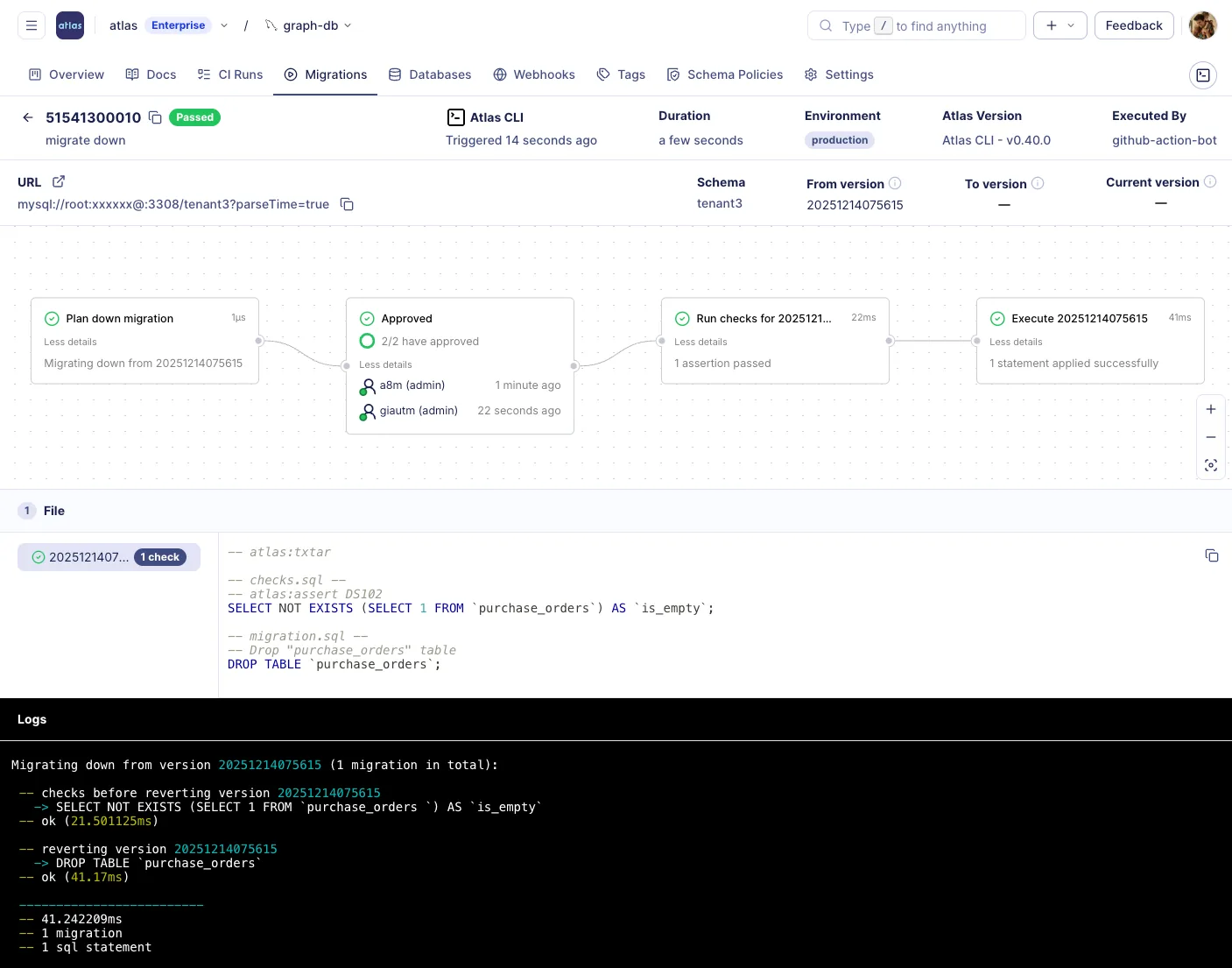
A versioned registry for migration directories, ERDs, and schema docs.
Detect drift. Get the SQL that fixes it.
Atlas monitors live databases for schema drift, permission mismatches, and policy violations. When drift is detected, it generates the exact SQL to bring them back in line. Atlas can block the next deploy to a drifted database until it's fixed.
RLS disabled on accounts, all rows visible
Where every column comes from.
Column-level lineage across tables, views, and datasets, for developers and agents. Select a column to see where its data comes from, which expressions shape it, and what depends on it downstream. The same graph prints from the CLI as compact JSON for agents, or as OpenLineage for catalogs.
Click a column to highlight its lineage path. Click an f marker to pin its expression.
Who can access what, and why.
Every role, grant, and object in a repository on one graph, colored by its worst analyzer finding, from CVEs to privilege escalation. Select an object to trace its blast radius, or print the graph as JSON from the CLI for a CI gate or an agent's context.
Click an object to trace its blast radius. Click a tier to highlight every object at that severity.
Set up from your coding agent.
Atlas ships skills for Claude Code, Codex, Cursor, and Copilot. Install them and start the onboarding skill. The agent sets up Atlas in your project one stage at a time, from schema as code to production, and checks each stage.
$ claude plugin marketplace add ariga/atlas$ claude plugin install atlas@ariga
It installs the Atlas plugin, with all its skills, for every project on this machine.
Then start the onboarding skill in Claude Code:
/atlas:atlas-onboardMake your next migration boring.
Atlas plans, checks, and tests every change before it merges, whether a person or an agent wrote it.

“Atlas enables our team to efficiently and safely manage our application schema. With features like linting, automated migrations for our ORM, and Kubernetes support, it seamlessly integrates into our development ecosystem.”
Michael Caulley, Software Engineering Lead

“We’ve been using Atlas for >1 year now and we still love it.”
Tiago Mendes, Senior Software Engineer
“Generating and applying migrations is very straight-forward. A powerful and elegant tool, we are now integrating Atlas into our GitHub workflows. Atlas is a natural extension of the tools we already use and a joy to work with!”
Noreen Wu, Senior Software Engineer

“We have not spent any time working on maintaining our schema migration tooling. It's all taken care of by Atlas.”
Raunak Kathuria, VP of Engineering

“We haven't had any database locking or migration issues since we've rolled out Atlas.”
Ken Koch, Director of Engineering
 Health in Tech
“Everybody should be using Atlas.”
Kevin Hochhalter, VP of IT Operations

“It connects to our models and people don't even have to think about migrations, they just happen.”
Omri Tcherner, Engineering Team Lead

“The biggest win of any tool is when you don't need to look at it ever again and it just works.”
Wai Ho Choy, Infrastructure Lead

“Atlas just works behind the scenes. We don't need to pay attention to it. We can trust that it's getting the job done.”
Armon Avrahamy, CTO and Co-Founder

“Having a lot of database schemas but only one tool to manage them all makes our lives so much easier.”
Kaushik Shanadi, Chief Architect

“I don't feel afraid to hit the approve button and pack up and go home for the day.”
Maciej Bukczynski, Director of Technology

“I rely on Atlas because I know it works and it gets the job done.”
Hicaro Adriano, Principal Software Engineer

“We wanted to have a source of truth in code. Since we use Terraform, we wanted something similar that everybody would already feel comfortable with.”
Yoni Sade, DBA

“Month over month, we see smaller and smaller incidents.”
Luiz Casali, Senior Engineering Manager

“The tool has been promising so far, helping us manage migrations, detect schema drift, and enforce best practices across projects.”
Beatriz De Miguel Pérez, Aircall