Using Bot (API) Tokens in CI/CD with Atlas Pipelines
In CI/CD, Atlas Pipelines is the mechanism that allows Atlas Pro features (like migration linting and planning) to run
inside your workflow. When you set up a CI job with the ariga/setup-atlas action
or similar integrations, you supply a bot token (i.e., API token) as the cloud-token. This API token authenticates your
workflow to log into Atlas Pro, activates Pro features, and allows the job to read and push schema changes, migrations,
and state updates to the Atlas Cloud Registry. However, bot users cannot be used for local development or to access the Atlas Cloud UI.
Organizations on the Enterprise plan can use bot tokens for local development. Organizations on other plans or the free
trial should use personal tokens instead, which are issued by running atlas login and are limited to the users who created them.
Creating a Bot User
To create a bot user, make sure you are logged in as an administrator to you Atlas Cloud account.
Follow these steps to create a new bot user:
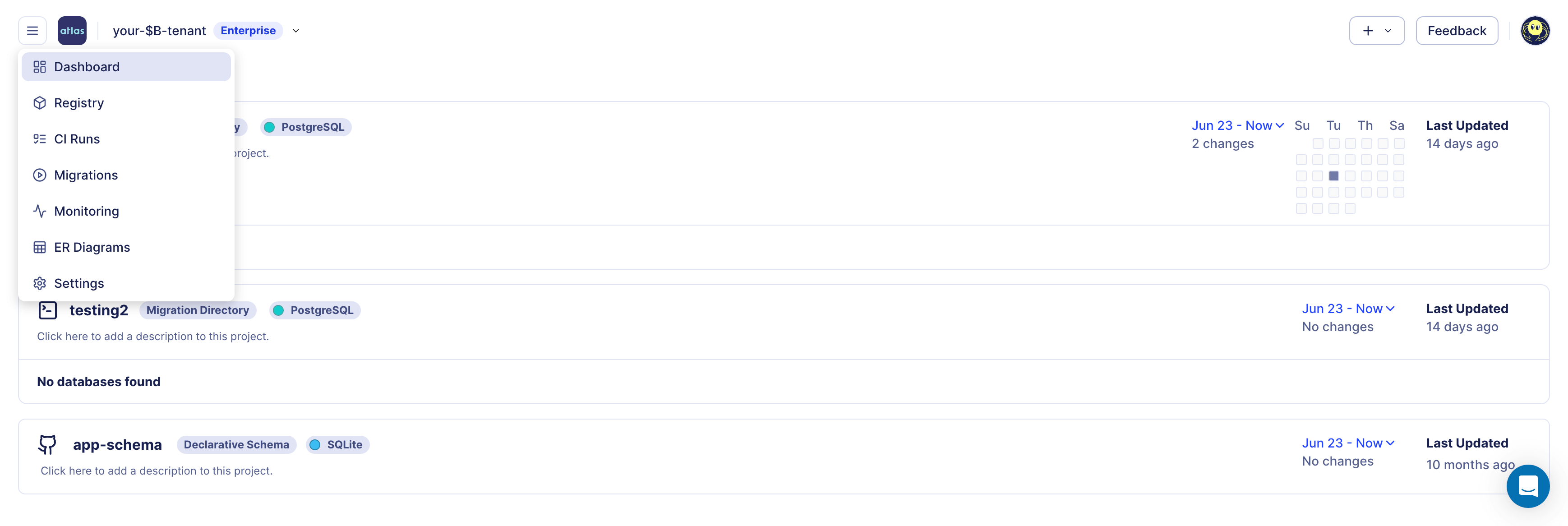
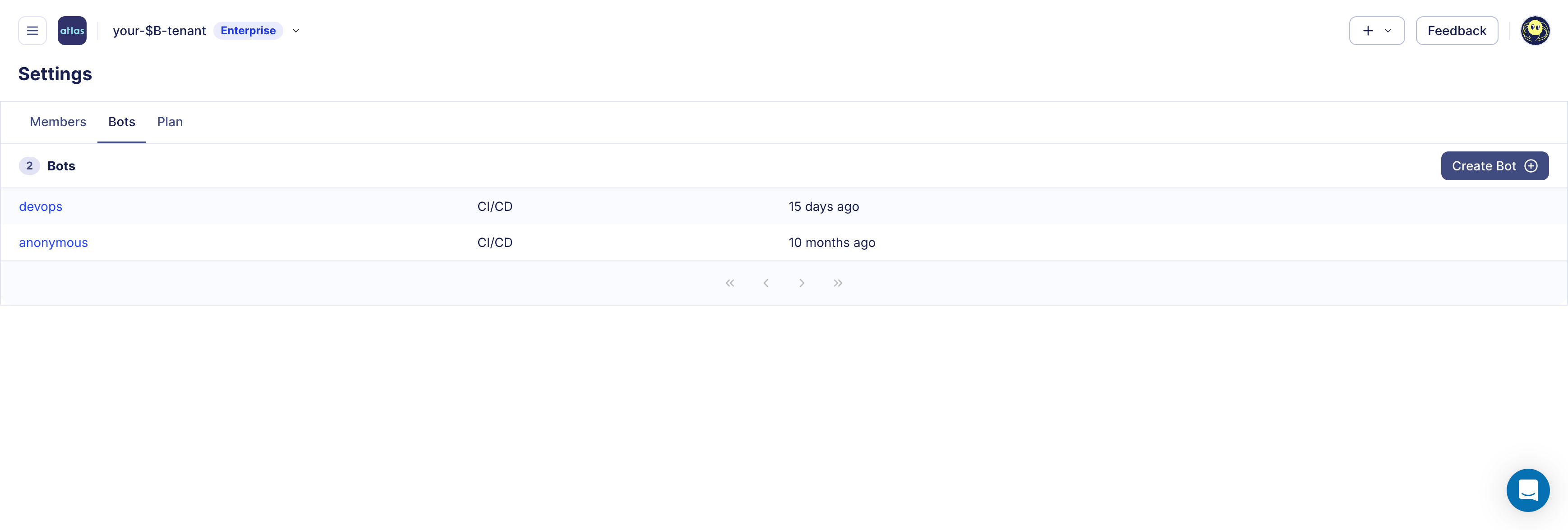
- To get to the bot management screen, click on ☰ > Settings > Bots in the left navigation. In this screen, click on the Create Bot button.
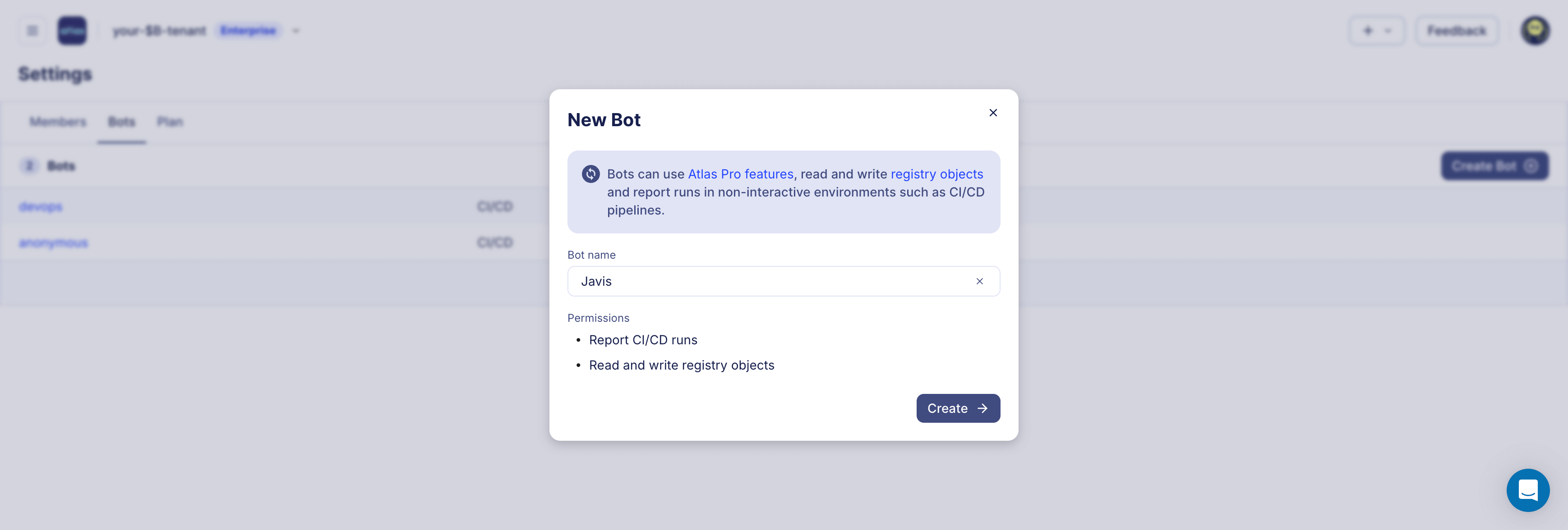
- Give your bot a name and click Create.
- Copy the token and store it in a safe place. You will not be able to see it again.

Follow our guides to continue setting up CI/CD for declarative and versioned workflows.
Offline Access
Atlas can cache a grant file (~/.atlas) after a successful atlas login --token --grant-only. This cached grant allows CI/CD jobs to continue using Atlas Pro capabilities for some time, even without connectivity to Atlas Cloud.
This design ensures that Atlas Cloud is never a single point of failure in your deployment pipeline. As part of a broader business continuity plan, grant caching lets your CI/CD workflows keep running linting, planning, and deployments autonomously, so your release process stays resilient regardless of external service availability.
In addition to grant caching, Atlas supports backup repositories for both migration directories and declarative schemas. When configured, Atlas automatically replicates every atlas migrate push and atlas schema push to one or more backup storage locations (S3, GCS, Azure Blob Storage, or local disk). Atlas handles replication, reading, and fallback transparently: if the primary registry is unreachable, Atlas reads from backups in order. This means license grants, migration artifacts, and schema state all have independent redundancy, removing any single point of failure from your schema management workflow. For more details, see Service Availability.
Integration support differs by CI provider:
- GitHub Actions: built-in support via
ariga/setup-atlasgrant caching. - GitLab CI Components: built-in support via cache + artifacts for
.atlas. - CircleCI Orb: built-in support via restore/save cache and workspace persistence.
- Bitbucket Pipelines: configure external cache for
.atlasmanually in your pipeline. - Atlas Kubernetes Operator: enable Helm chart
persistenceso Atlas CLI state (including.atlas) is stored on a PVC across pod restarts.
See provider-specific CI/CD guides under /guides/ci-platforms/* for concrete examples.
Custom Build Systems
If your CI wraps Atlas with a hermetic build system like Bazel, ensure ATLAS_TOKEN is forwarded to the Atlas process. ariga/setup-atlas exposes the token as an environment variable, but tools that sandbox execution may not pass it through automatically.