Column-Level Data Lineage
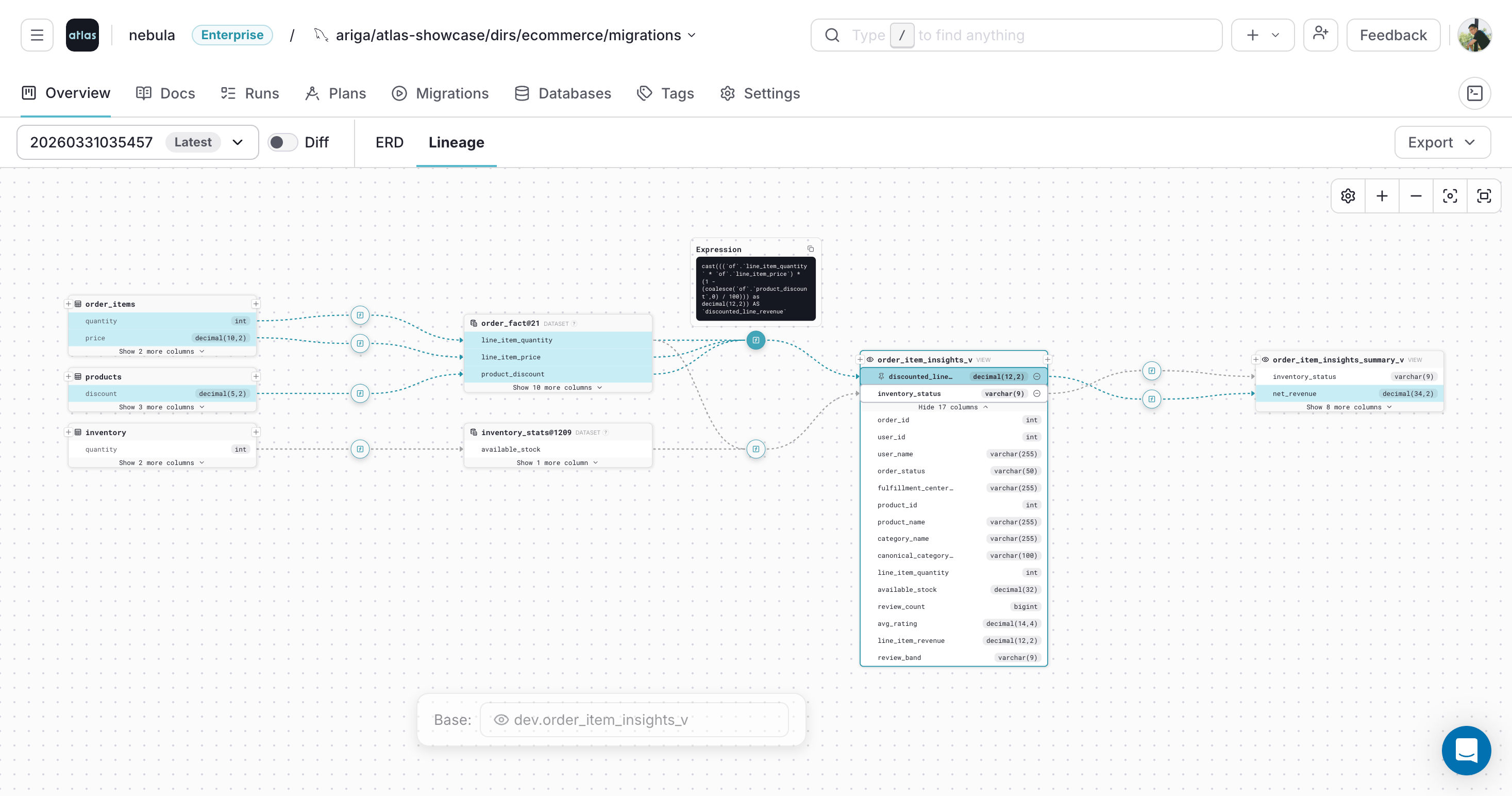
Atlas Cloud traces column-level data lineage across tables, views, and datasets. Select any column to see exactly where its data comes from, which transformation expressions shape it, and what downstream objects depend on it.
Lineage is supported for PostgreSQL, MySQL, ClickHouse, CockroachDB, Redshift, and Snowflake (including dynamic tables).
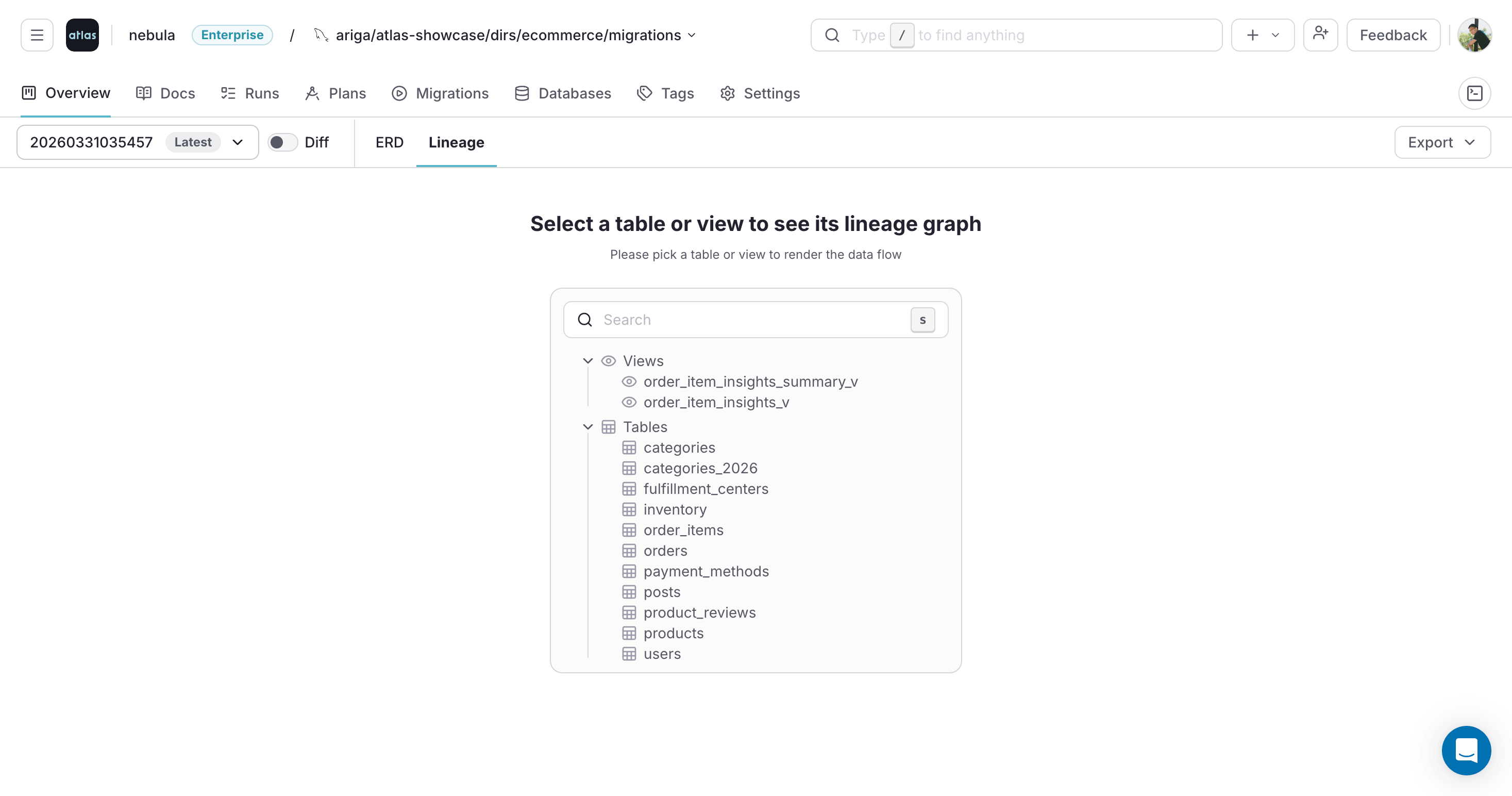
Open the Lineage Graph
In the project overview, click the Lineage tab and select a table or view. Atlas will render the lineage graph for the selected object.
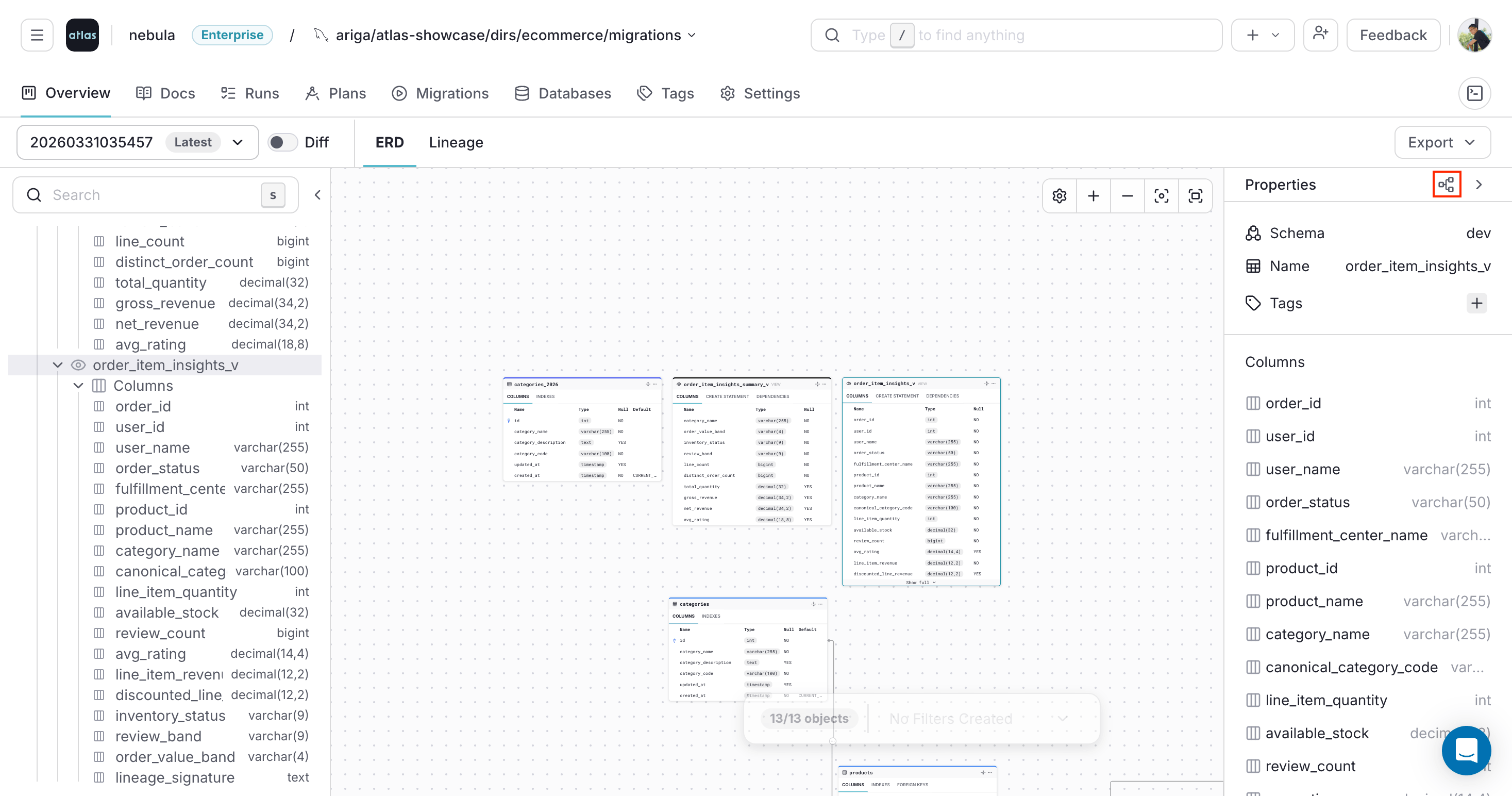
You can also open the lineage graph from the ERD and Docs views:
- ERD
- Docs
Use the lineage action to open the graph for the selected object:
Click Lineage on the object page:
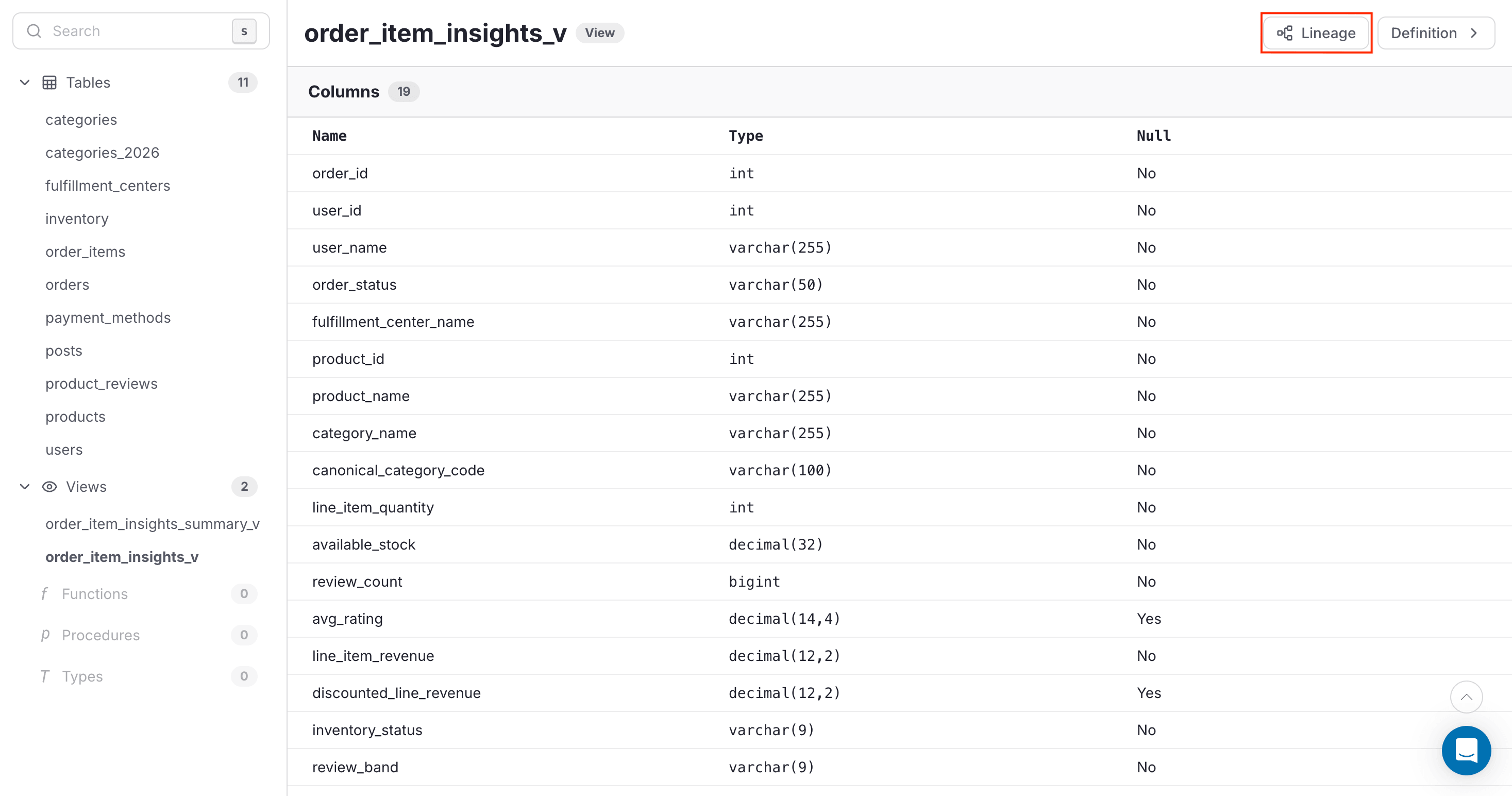
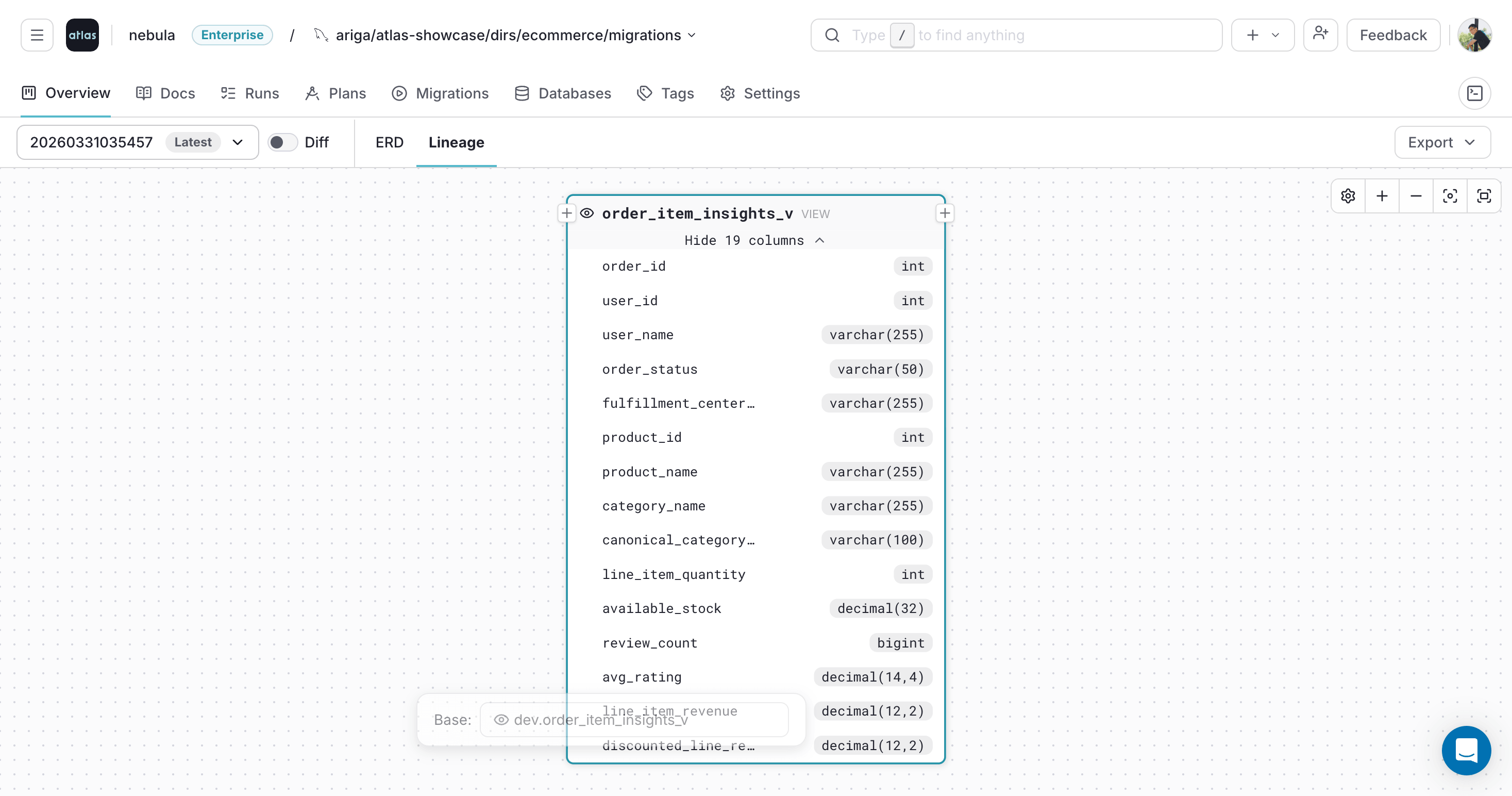
Atlas opens the lineage graph in a modal so you can inspect the object without leaving the current view:
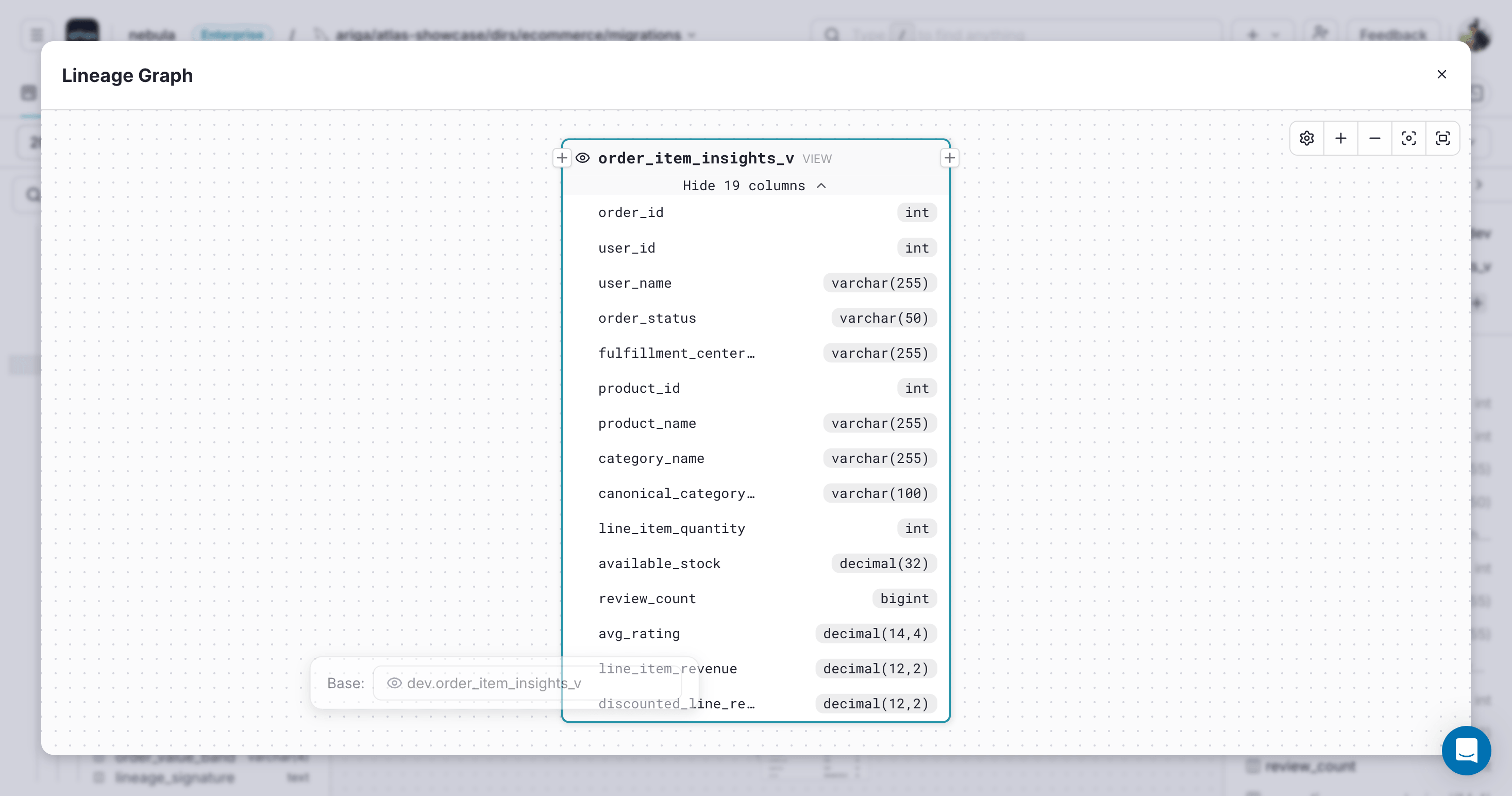
Select and Pin Columns
Use [+] and [-] to expand or collapse upstream and downstream nodes.
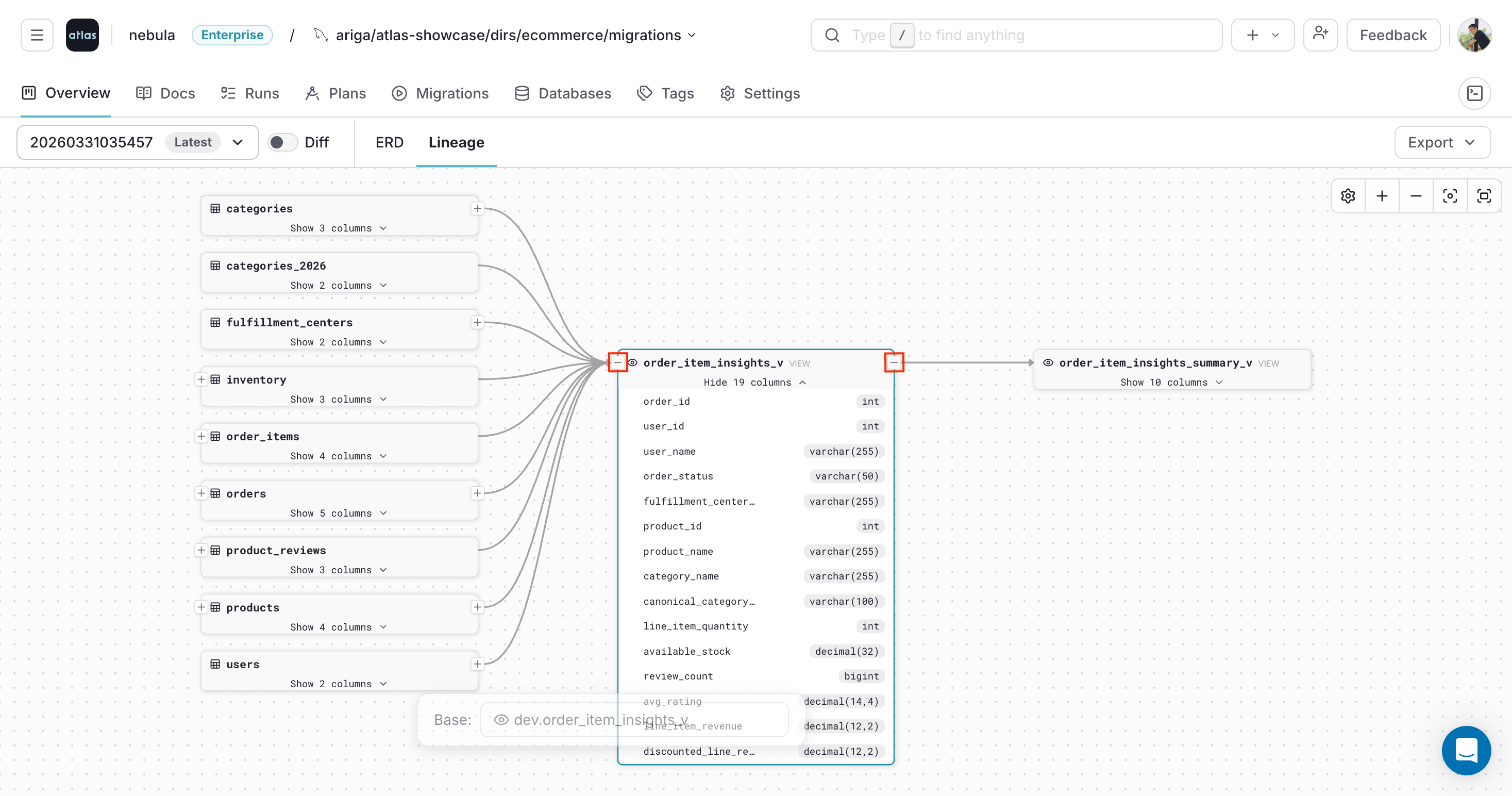
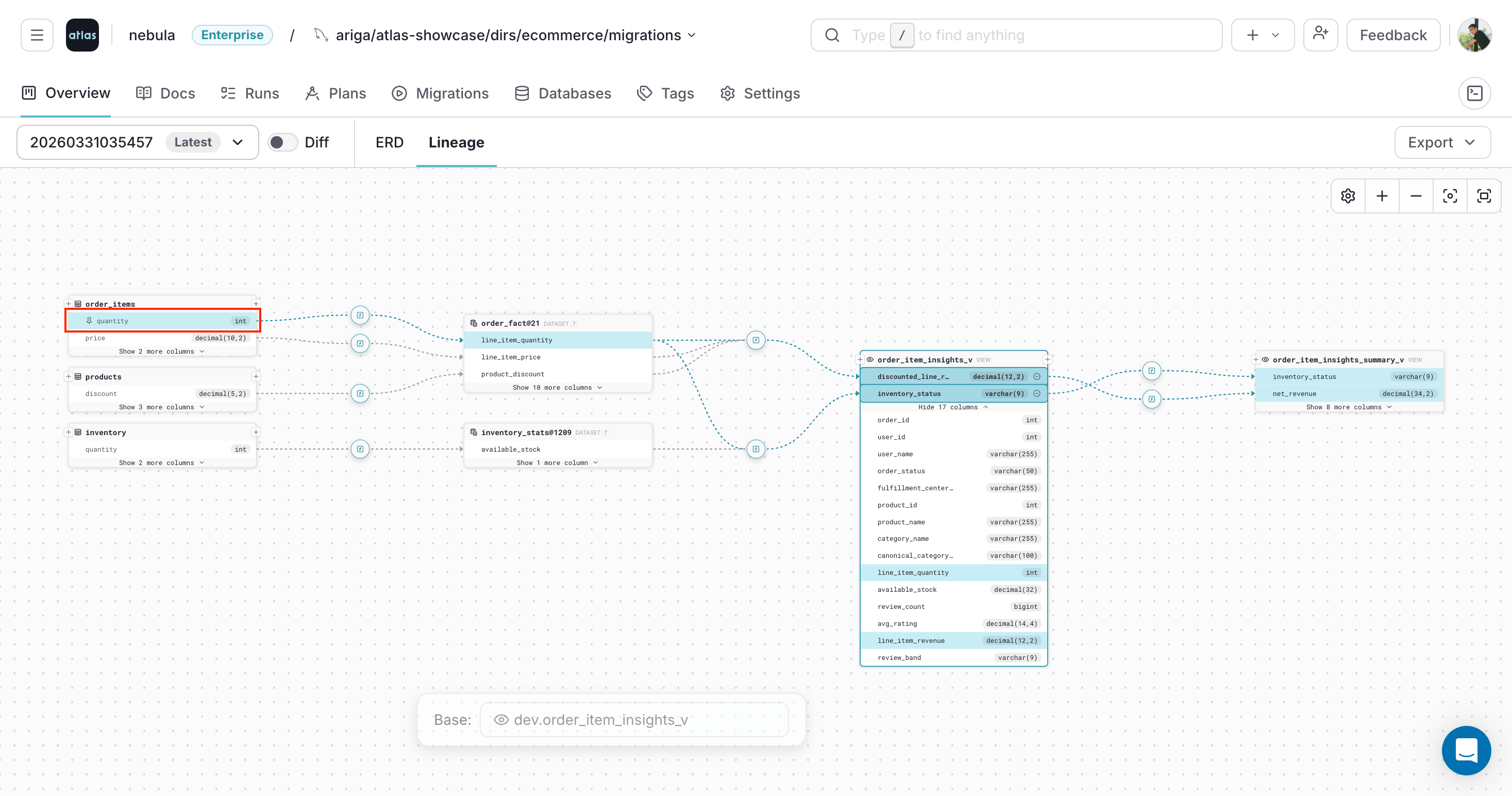
Click a column to inspect its lineage:
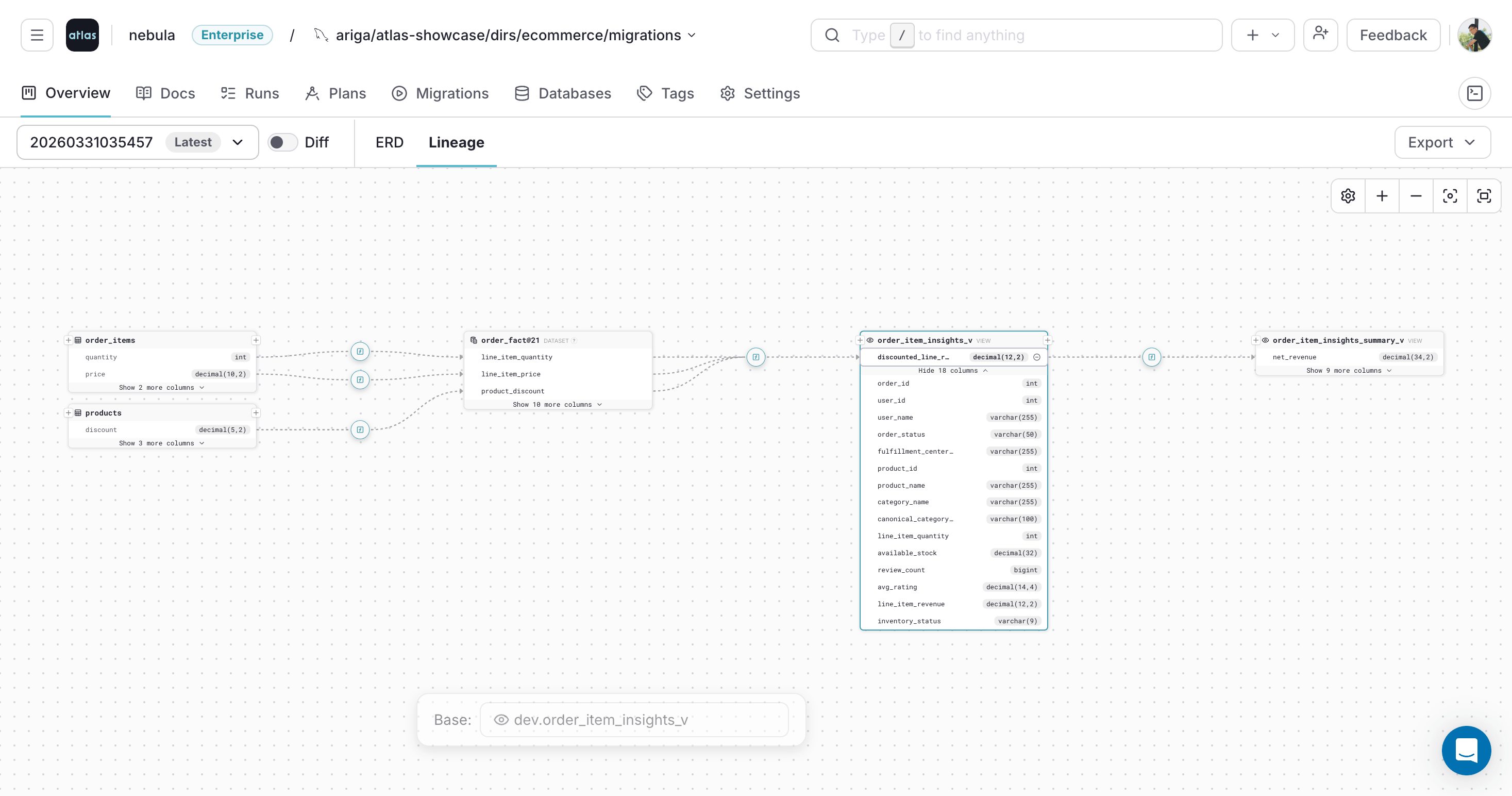
Selecting multiple columns shows their lineage together:
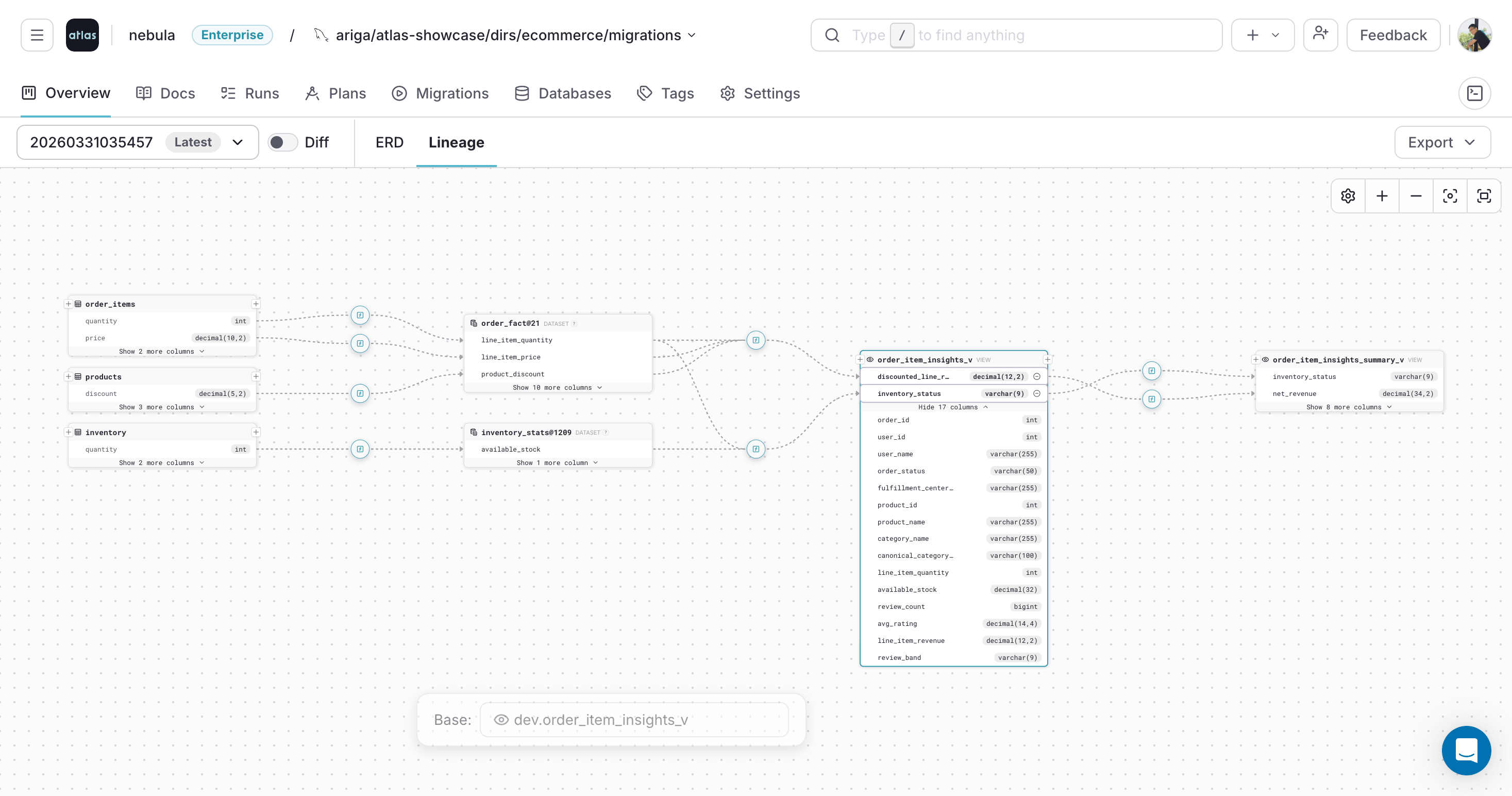
Click a selected column again to pin it and highlight its lineage path. Click it once more to unpin it:
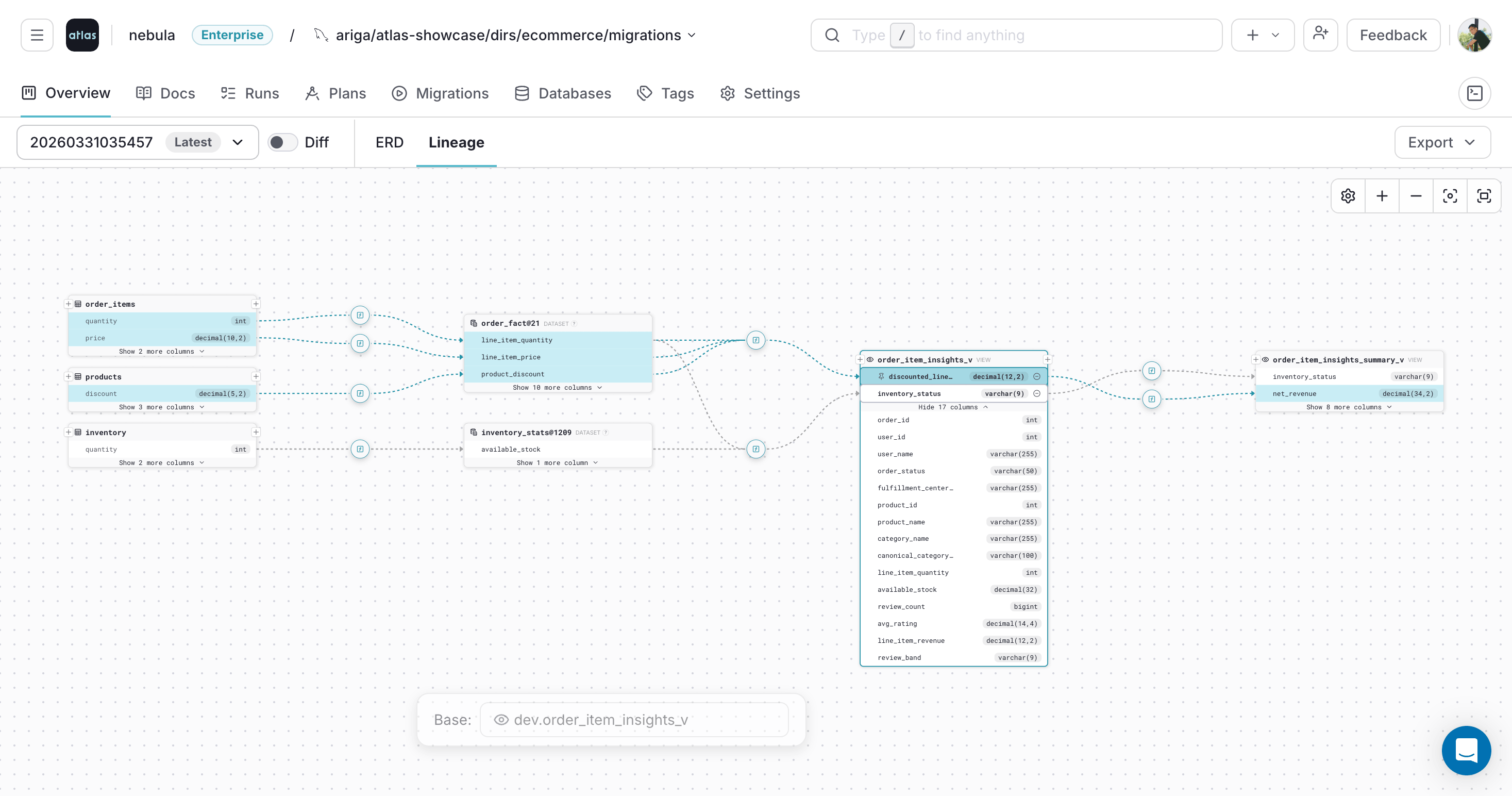
You can also pin columns that appear elsewhere in the selected lineage path:
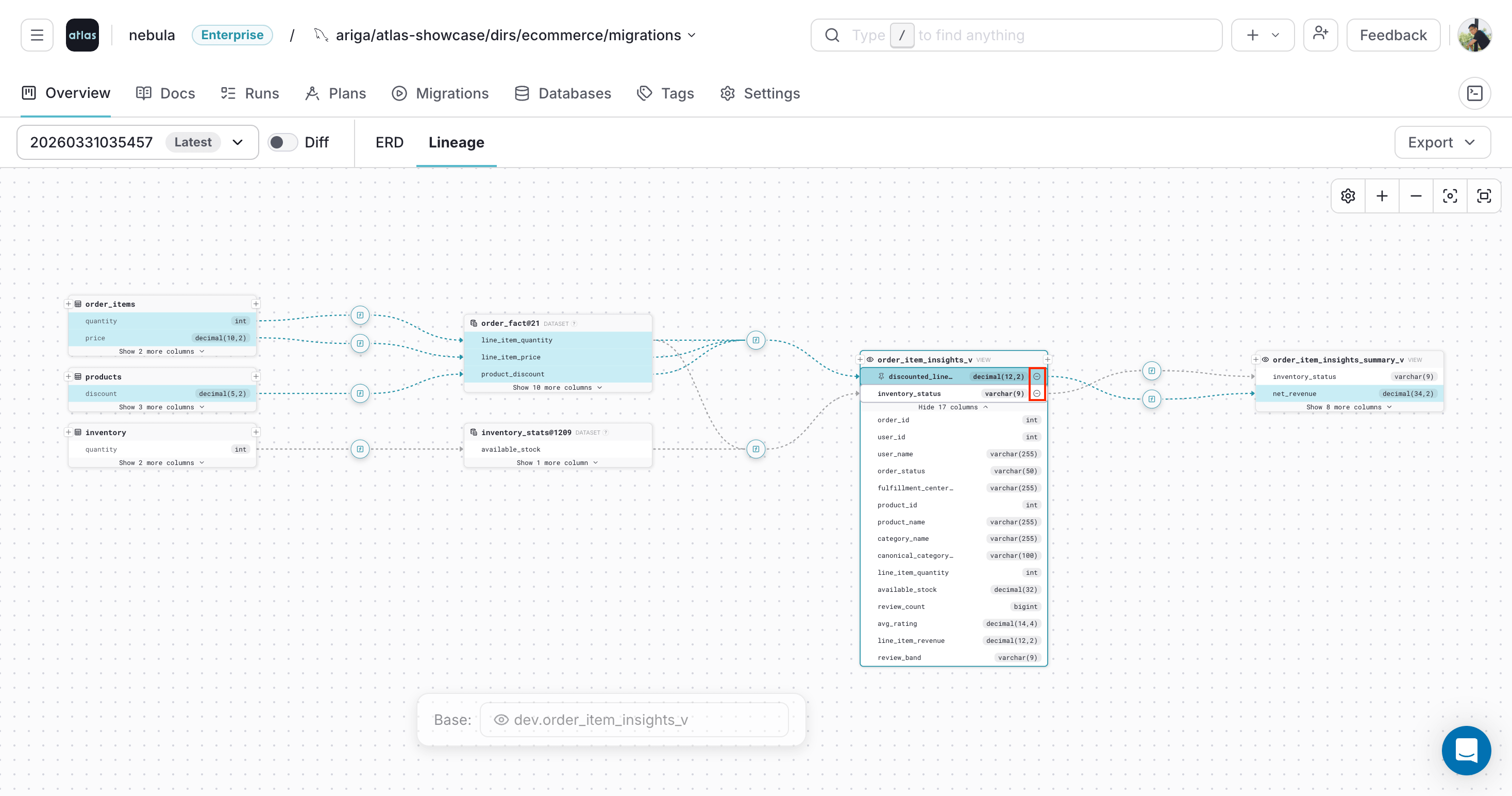
To remove a selected column from the view, click (-) on the column:
Inspect Transformation Expressions
Atlas marks transformation steps on the lineage path with [f].
Hover over [f] to preview the expression that transforms upstream fields along the path.
This is useful for understanding how derived columns like revenue calculations or status aggregations are built from source fields.
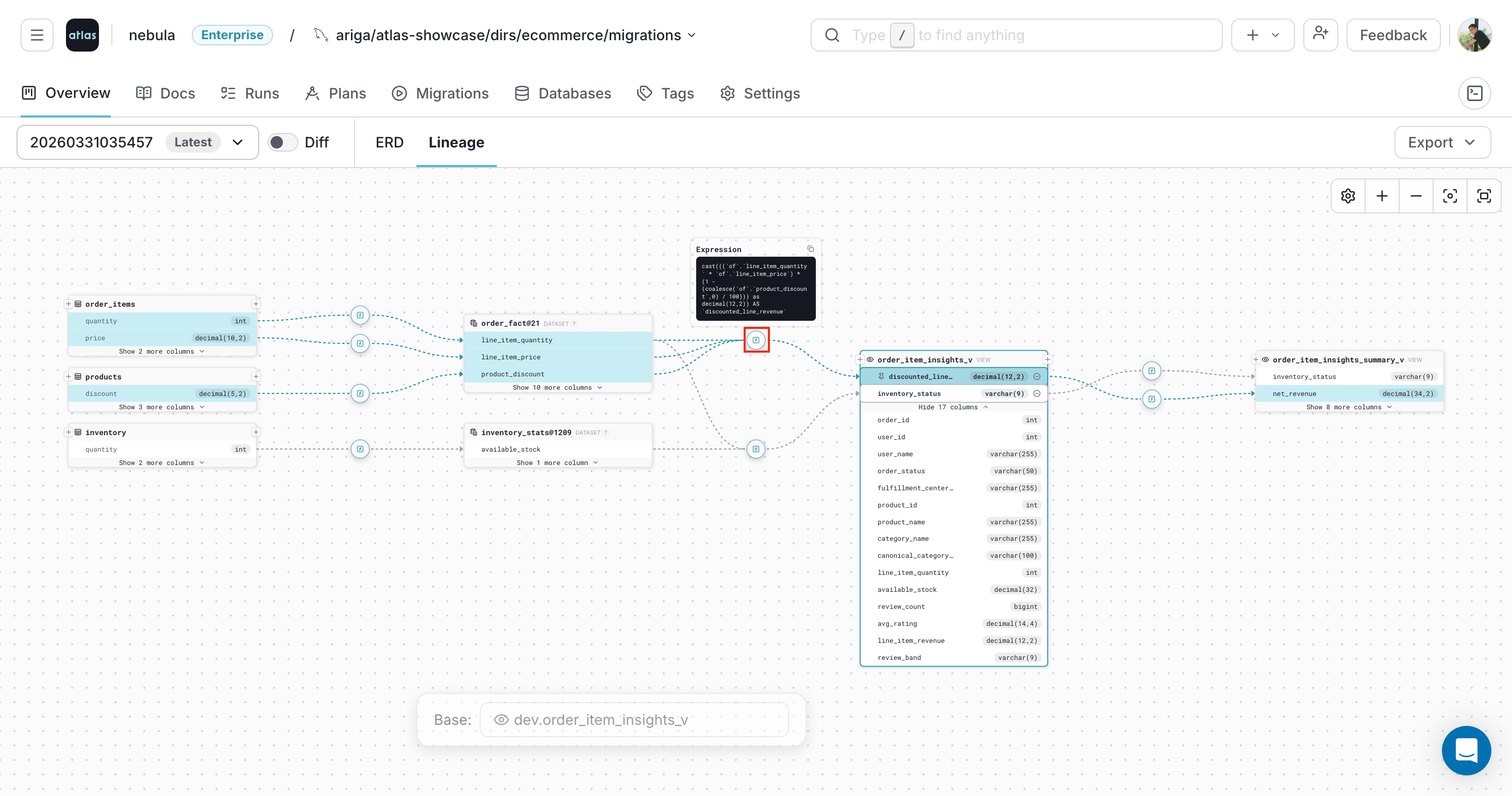
Clicking [f] keeps the expression card visible while you continue exploring the graph:
External Datasets
When a view or query references a table that is not defined in the current schema, Atlas renders it as an external dataset node in the lineage graph. This happens when the source table lives in a different schema, database, or is managed outside of Atlas.
External dataset nodes let you trace lineage beyond the boundaries of your managed schema without losing visibility into where data comes from.
Programmatic Access
Beyond the visual graph, Atlas can export a repository's lineage from the command line for rendering,
programmatic traversal, or ingestion into a lineage catalog. The atlas cloud repo lingraph command
prints the graph to stdout in one of two formats:
- Atlas format (default) - a compact node/edge graph, ideal for rendering or programmatic traversal.
- OpenLineage (
--open-lineage) - the same lineage as a list of OpenLineageRunEvents for ingestion into catalogs such as Marquez or DataHub.
The machine-readable graph is also a ready source of context for AI coding agents. An agent asked to
rename or drop a column can run atlas cloud repo lingraph to load the column-level dependency graph,
trace every downstream view and column that reads from it. It can then rewrite them or flag the change as
breaking, all without a human mapping the dependencies by hand. The compact default format is small
enough to drop straight into the model's context.
- Atlas format
- OpenLineage
The default format is a graph of nodes and edges. Take a schema with a table, a view built from a
CTE, and a view that reads from an external source:
CREATE TABLE main.users (
  id   int          NOT NULL,
  name varchar(255) NOT NULL
);

CREATE VIEW main.user_names AS
  WITH u_cte AS (
    SELECT u.name AS user_name FROM main.users AS u
  )
  SELECT u_cte.user_name AS user_name FROM u_cte;

CREATE VIEW main.ext_view AS
  SELECT e.name AS name FROM external_source AS e;
atlas cloud repo lingraph --slug my-repo
{
  "nodes": [
    { "id": "external_dataset/external_source",        "type": "external_dataset", "name": "external_source", "schema": "" },
    { "id": "schema/main/table/users",                 "type": "table",            "name": "users",           "schema": "main" },
    { "id": "schema/main/view/ext_view",               "type": "view",             "name": "ext_view",        "schema": "main" },
    { "id": "schema/main/view/user_names",             "type": "view",             "name": "user_names",      "schema": "main" },
    { "id": "schema/main/dataset/user_names/u_cte@5",  "type": "dataset",          "name": "u_cte@5",         "schema": "main" }
  ],
  "edges": [
    { "from": "external_dataset/external_source",       "to": "schema/main/view/ext_view",              "fromColumn": "name",      "toColumn": "name",      "expr": "e.name AS name" },
    { "from": "schema/main/table/users",                "to": "schema/main/view/user_names" },
    { "from": "schema/main/table/users",                "to": "schema/main/dataset/user_names/u_cte@5", "fromColumn": "name",      "toColumn": "user_name", "expr": "u.name AS user_name" },
    { "from": "schema/main/dataset/user_names/u_cte@5", "to": "schema/main/view/user_names",            "fromColumn": "user_name", "toColumn": "user_name", "expr": "u_cte.user_name AS user_name" }
  ]
}
Each node has a stable id, a type, a name, and a schema. The node types are:
table/view- objects managed in the schema (schema/<schema>/table|view/<name>).external_dataset- a source not managed in the schema, such asexternal_source.dataset- an intermediate dataset such as a CTE, named<view>/<cte>@<line>. For example,user_names/u_cte@5is theu_cteCTE defined on line 5 ofuser_names.
Each edge connects two nodes by their from/to ids. Column-level edges add fromColumn,
toColumn, and expr (the SQL projection); an edge with only from/to is an object-level
dependency, such as users to user_names.
With --open-lineage, Atlas emits the same lineage as a JSON array of OpenLineage RunEvents, one per
view or derived dataset:
atlas cloud repo lingraph --slug my-repo --open-lineage
Each event has eventType: "COMPLETE", producer: "https://atlasgo.io", and a deterministic
run.runId. The consumed datasets are listed in inputs, the view in job (with jobType and sql
facets), and the produced dataset in outputs (with schema and columnLineage facets). Managed
objects use the namespace atlas://<repo>/<schema>; external sources use external://. A view with
pass-through (IDENTITY) column lineage:
{
  "eventTime": "2024-01-01T00:00:00Z",
  "eventType": "COMPLETE",
  "inputs": [
    {
      "name": "users",
      "namespace": "atlas://my-repo/main",
      "facets": {
        "schema": {
          "_producer": "https://atlasgo.io",
          "_schemaURL": "https://openlineage.io/spec/facets/1-1-1/SchemaDatasetFacet.json",
          "fields": [
            { "name": "id",   "type": "integer" },
            { "name": "name", "type": "character varying(100)" }
          ]
        }
      }
    }
  ],
  "job": {
    "name": "active_users",
    "namespace": "atlas://my-repo/main",
    "facets": {
      "jobType": {
        "_producer": "https://atlasgo.io",
        "_schemaURL": "https://openlineage.io/spec/facets/2-0-2/JobTypeJobFacet.json",
        "integration": "atlas", "jobType": "VIEW", "processingType": "BATCH"
      },
      "sql": {
        "_producer": "https://atlasgo.io",
        "_schemaURL": "https://openlineage.io/spec/facets/1-0-0/SQLJobFacet.json",
        "query": "SELECT id, name FROM users"
      }
    }
  },
  "outputs": [
    {
      "name": "active_users",
      "namespace": "atlas://my-repo/main",
      "facets": {
        "columnLineage": {
          "_producer": "https://atlasgo.io",
          "_schemaURL": "https://openlineage.io/spec/facets/1-2-0/ColumnLineageDatasetFacet.json",
          "fields": {
            "id":   { "inputFields": [ { "namespace": "atlas://my-repo/main", "name": "users", "field": "id",   "transformations": [ { "type": "DIRECT", "subtype": "IDENTITY", "description": "", "masking": false } ] } ] },
            "name": { "inputFields": [ { "namespace": "atlas://my-repo/main", "name": "users", "field": "name", "transformations": [ { "type": "DIRECT", "subtype": "IDENTITY", "description": "", "masking": false } ] } ] }
          }
        },
        "schema": {
          "_producer": "https://atlasgo.io",
          "_schemaURL": "https://openlineage.io/spec/facets/1-1-1/SchemaDatasetFacet.json",
          "fields": [
            { "name": "id",   "type": "integer" },
            { "name": "name", "type": "character varying(100)" }
          ]
        }
      }
    }
  ],
  "producer": "https://atlasgo.io",
  "run": { "runId": "82133796-1259-5d46-bb5f-92a056fa5413" }
}
A view that joins an external source and transforms columns produces external:// inputs and
INDIRECT/TRANSFORMATION transformations, with the SQL expression in description:
"inputs": [
  { "name": "users",               "namespace": "atlas://my-repo/main", "facets": { "schema": { "fields": [ { "name": "id", "type": "integer" }, { "name": "name", "type": "character varying(100)" } ] } } },
  { "name": "external_db.metrics", "namespace": "external://",          "facets": { "schema": { "fields": [ { "name": "score" } ] } } }
],
"outputs": [
  {
    "name": "user_metrics", "namespace": "atlas://my-repo/main",
    "facets": {
      "columnLineage": { "fields": {
        "user_id": { "inputFields": [ { "namespace": "atlas://my-repo/main", "name": "users",               "field": "id",    "transformations": [ { "type": "INDIRECT", "subtype": "TRANSFORMATION", "description": "u.id AS user_id", "masking": false } ] } ] },
        "score":   { "inputFields": [ { "namespace": "external://",          "name": "external_db.metrics", "field": "score", "transformations": [ { "type": "INDIRECT", "subtype": "TRANSFORMATION", "description": "m.score",          "masking": false } ] } ] }
      } }
    }
  }
]
job.facets.jobType.jobTypeisVIEWfor regular views andMATERIALIZED_VIEWfor materialized views.job.facets.sql.queryis the view's defining SQL, preserved verbatim.transformations[].type/subtypeisDIRECT/IDENTITYfor a straight column pass-through andINDIRECT/TRANSFORMATIONfor an expression (whose text is indescription).- Unresolved or missing column references are omitted from
columnLineage, so there are no dangling fields. run.runIdis deterministic, stable across runs for the same schema, so diffs are meaningful.